
Your company reviews who can access Microsoft 365. Does it also review what can access it?
Backup platforms, reporting tools, CRM integrations, and automation services can retain access to business information long after their original purpose has changed.
The October 2026 incident involving ConnectWise Cloud Backup, formerly SkyKick, brought this risk into focus. Compromised application credentials were used to access customer Microsoft 365 environments through trusted integrations.
The lesson extends beyond one provider: an application does not become permanently safe because someone approved it once.
Connected applications are part of your security perimeter
Microsoft 365 application security means understanding which applications can access organizational resources, what their permissions allow, and whether that access remains justified.
Some applications act on behalf of a signed-in user. Others operate through application permissions without an employee signing in. User MFA remains essential, but it does not automatically protect that second access path.
This creates a business risk that can remain invisible in an employee-focused security review. A forgotten integration may still be authorized. A useful application may have more access than its purpose requires. A provider change may leave the previous connection intact.
The question is not whether every integration is dangerous. It is whether your company can explain why each one is still trusted.
Microsoft provides visibility. Someone must turn it into decisions
Microsoft Entra ID provides the foundation for reviewing enterprise applications, granted permissions, and relevant sign-in and audit activity. It helps establish which identities represent applications inside your tenant and what authority they have received.
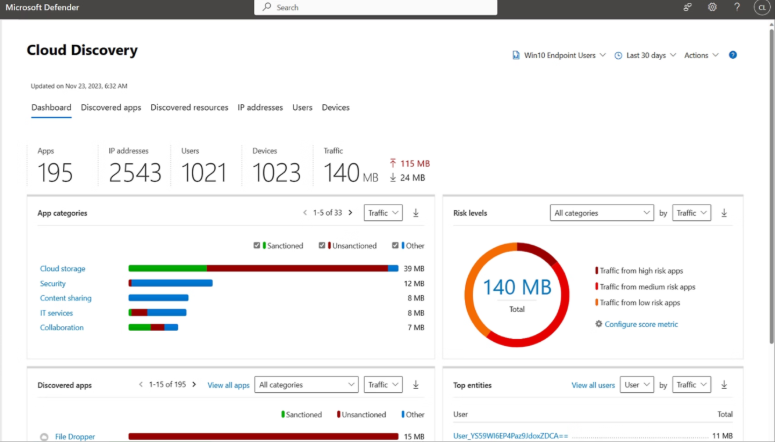
Microsoft Defender for Cloud Apps adds application-focused visibility through app governance. For supported applications and permissions, it can help identify highly privileged integrations, unused applications, and unused Microsoft Graph permissions.
Microsoft Sentinel can bring relevant logs and security signals into a broader investigation and monitoring process. Its value depends on the data collected, the detections configured, and the people responsible for acting.
Together, these services can support a more informed application security model. Their coverage is not universal, and licensing and configuration matter. A dashboard finding is a starting point for a decision, not proof that an application is malicious or safe.
Unused access is a liability without a business benefit
An integration may have been necessary for a migration, a temporary project, or a vendor relationship that has already ended.
Keeping that access indefinitely creates exposure without necessarily delivering value. Yet removing it blindly can interrupt a legitimate process that nobody documented.
Effective application governance resolves both problems. It identifies the business owner, validates the need, and makes a controlled decision to retain, reduce, or remove access.
That is different from periodically exporting an application list. The business needs justified access and completed remediation, not another inventory waiting for attention.
How NeoDefender connects the Microsoft controls
NeoDefender’s managed Microsoft cybersecurity service connects security configuration, ongoing review, and remediation ownership across the Microsoft environment.
For connected applications, the priorities are clear: understand the integrations, challenge excessive permissions, retire unnecessary access, and establish which changes require investigation.
Entra ID helps reveal the access relationship. Defender for Cloud Apps can help prioritize the applications that deserve attention. Sentinel can support ongoing monitoring where the agreed architecture requires it.
NeoDefender helps turn those capabilities into a service model with defined scope, owners, and follow-through. The appropriate combination depends on your applications, existing licenses, business dependencies, and security requirements.
The goal is not to sell another Microsoft product by default. It is to make the controls you need work together around the access your business actually permits.
Trust should have an owner and a review date
No organization can guarantee that every supplier will remain secure. It can reduce unnecessary exposure and improve its ability to recognize and respond to misuse.
Application access should change when the business changes. A project ends. A vendor is replaced. An integration gains new capabilities. Each can change the reason for trust.
Your Microsoft 365 environment should reflect those decisions, rather than preserve every permission it has ever received.
Talk to NeoDefender about your Microsoft 365 application security. Let’s identify which connections still serve the business, which permissions need attention, and how Microsoft security services can help protect the access that remains.