
When an employee leaves, most companies disable the account and consider the job done. In Microsoft 365, that is the beginning of offboarding, not the end of it.
A disabled sign-in does not automatically end every session that already exists. It does not remove the mail forwarding rule the person created last year, the applications they consented to, the files they shared with external addresses, or the company data that still lives on a personal phone. Each of those can keep working quietly after the person is gone.
Blocking sign-in is only the first step
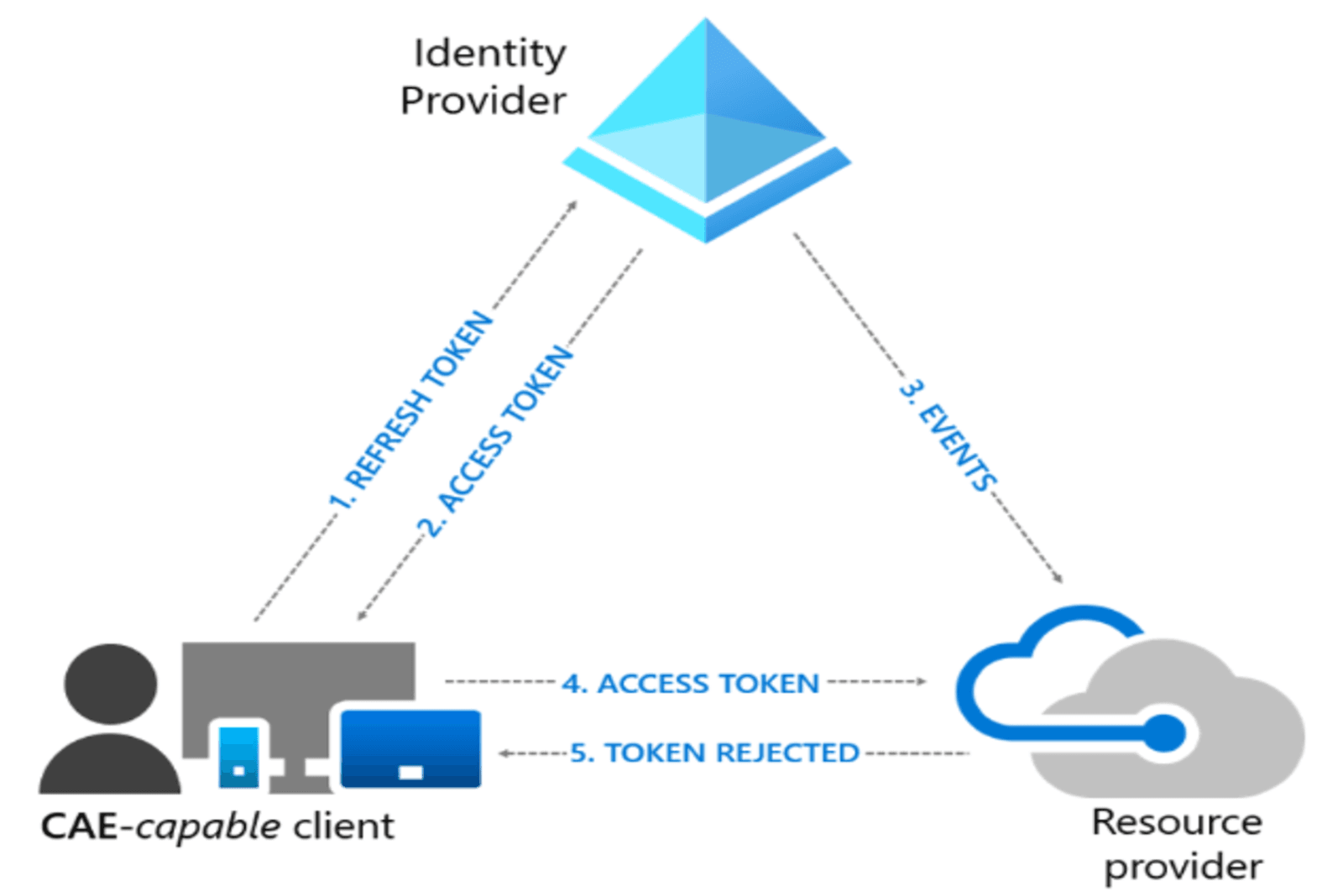
Blocking sign-in prevents new authentications. Sessions and tokens that were already issued can remain valid for a period of time, depending on the application and configuration. That is why offboarding should also revoke the user's existing sessions in Microsoft Entra ID, so applications are forced to re-authenticate and fail.
Resetting the password and removing the person's registered authentication methods closes the door for anyone who knows the old credentials or still holds the old phone. For administrators and other privileged users, this step is not optional, and it should happen at the moment of departure, not at the end of the week.
The access nobody remembers granting
The harder part of offboarding is everything the person set up while they worked there.
- Mail forwarding and inbox rules. A rule that forwards invoices or client mail to a personal address keeps working until someone removes it.
- Application consents. Applications the user authorized can retain delegated access to mail or files. Review and remove what is no longer justified.
- Shared links and external sharing. Files shared with "anyone with the link" or with external addresses do not expire because the owner left.
- Group and Teams ownership. If the departing person was the only owner of a team or group, it becomes unmanaged. Assign a new owner before removing them.
- Devices. Company data on a personal phone managed with Intune app protection can be selectively wiped. A corporate device should be retired or reset through the same process.
None of these appear in a simple "disable the account" checklist. All of them show up in incident investigations.
Keep the data, remove the person
Offboarding is not only about removing access. The business usually needs what the employee owned.
A departing user's mailbox can be converted to a shared mailbox so the team keeps the history without paying for a full license, subject to Microsoft's size and licensing conditions. OneDrive content of a deleted user is retained only for a limited period by default, so ownership or access should be transferred to a manager before that window closes. If legal or compliance requirements apply, retention or hold decisions must be made before anything is deleted.
The order matters. Removing the license or deleting the account too early can start a countdown on data the company still needs.
Offboarding needs an owner and a same-day standard
Most offboarding failures are not technical. HR knows the person is leaving, the manager knows, and IT finds out later, or never. The account stays active for weeks, or it is disabled while the forwarding rule and the shared links stay in place.
A reliable process connects the HR trigger to a defined sequence: block sign-in, revoke sessions, reset credentials, remove authentication methods, review rules, consents and sharing, transfer data ownership, handle devices, and only then reclaim the license. For privileged accounts and sensitive roles, the sequence should run before the person walks out, not after.
How NeoDefender handles it
NeoDefender treats offboarding as an identity security control, not an administrative afterthought. We review how departures are triggered, which Microsoft 365 controls are part of the process, and which access paths are currently left behind.
The result is a documented, repeatable sequence that protects the data your business keeps and removes the access it no longer trusts.
Talk to NeoDefender about reviewing your Microsoft 365 offboarding process before the next departure tests it.