
Inviting an external person into Microsoft 365 takes seconds. A consultant joins a Teams channel, a supplier receives access to a SharePoint site, a client is added to a shared project. The collaboration works, and that is the point.
The problem is what happens afterwards. The project ends, the contract ends, the person changes companies, and the guest account stays exactly where it was.
Guests accumulate because nobody owns them
Guest accounts are rarely created as part of a formal process. They are created by whoever needed to collaborate that week. Months later, nobody remembers who invited them, why, or whether they should still have access.
Each remaining guest represents an identity outside your direct control, protected by another organization's security practices, with access to whatever was shared with them. Most will never be misused. But "probably harmless" is not a review standard.
Know who is in your tenant
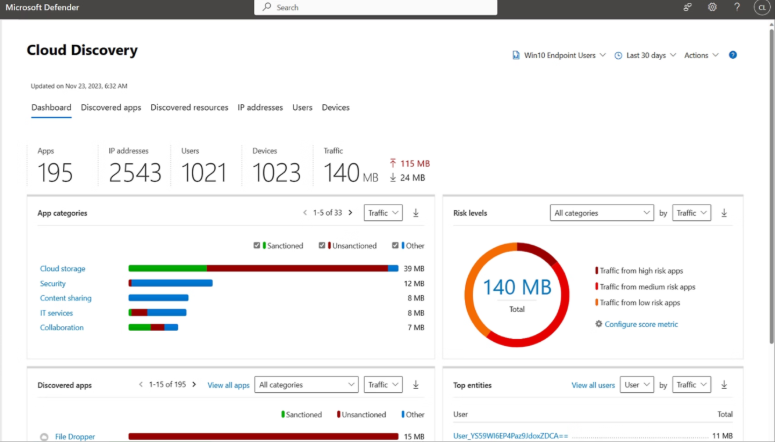
The first step is visibility. Microsoft Entra ID lists the guest users in your tenant, and sign-in information helps identify guests who have not used their access in a long time. Teams and SharePoint show where external users have been added and which content has been shared externally.
That inventory usually answers an uncomfortable question quickly: how many external identities have access to company information, and how many of them are still needed?
Reviews turn an inventory into decisions
A list of guests is useful only if someone decides what to keep.
Microsoft Entra access reviews can ask the right people, such as a team owner or the business sponsor of a project, to confirm whether each guest still needs access, and can remove access automatically when it is not confirmed. Availability depends on licensing, so the approach should match what the organization already owns.
Where reviews are not available, a documented periodic review by the owners of each team or site still works, provided it actually happens and someone acts on the result.
Set limits before the next invitation
Cleanup without new rules only resets the clock.
Organizations can restrict who is allowed to invite guests, limit which domains can be invited, and configure external sharing in SharePoint and OneDrive so links expire instead of remaining open indefinitely. Conditional Access can also apply requirements such as MFA to guest access. The right settings depend on how the business collaborates, but defaults chosen years ago rarely reflect current needs.
External access should have an owner and an end date
Collaboration with external people is a normal part of business. What should not be normal is access with no owner, no purpose, and no expiration.
NeoDefender helps organizations review the external identities already present in Microsoft 365, remove the access that is no longer justified, and put guest and sharing controls in place that match how the business actually works.
Talk to NeoDefender about reviewing the guests and external sharing in your Microsoft 365 tenant.